What is a Lead Gen Search?
It’s a public link to a filtered set of homes, like “under $450K near Conroe ISD.” It updates in real time and works anywhere: texts, email, social posts and QR codes.
It’s built to find new clients. For a buyer you already know, send a Client Search instead.
Visitors don’t need a login, every home shows only your contact info, and buyers never see commission or bonuses.
1Agent or Builder Portal
Start a new search
Click Lead Gen in the left menu, then New Search.
Set the filters your niche needs: price, school system, builder, incentives and more.


My SearchesNEW FOLDER
Click or tap and drag a search to a folder to organize your searches
Conroe buyers
First-time buyers
Personal Link
https://a.nhb.app/u/natalie-brooks
21296149
964073
23188125
571921
1,284 HOMES
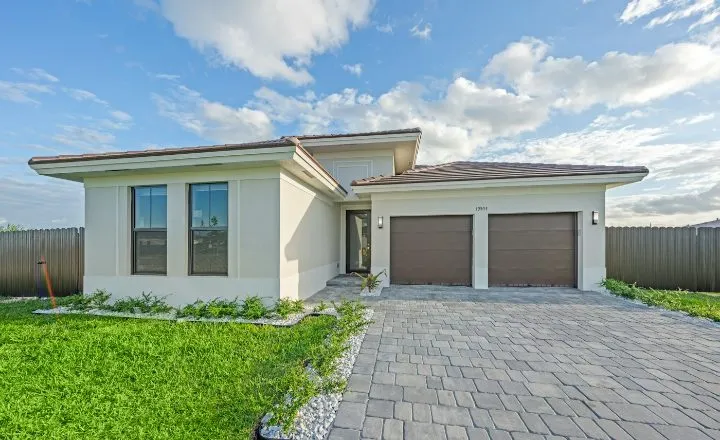 CYPRESSHOMES14 Juniper BendOak TerraceConroe, TX$587,400 Move In Ready4 bds · 3.5 ba · 2690 sqft
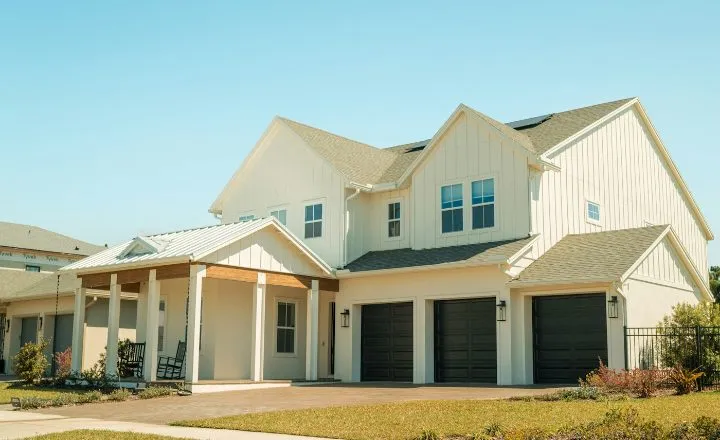 HARBOR OAKHOMESAsterStillwater RanchMontgomery, TXStarting from $449,9904 bds · 3 ba · 2480 sqft
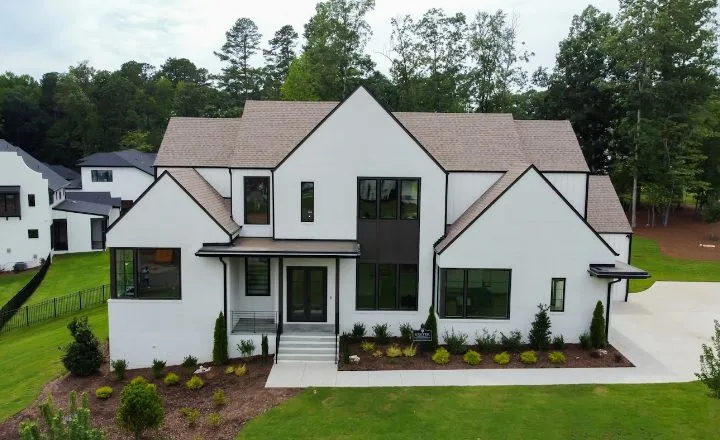 LARKSPURHOMES2207 Briar GlenPine HollowConroe, TX$412,500 Under Construction4 bds · 2.5 ba · 2215 sqftMEADOWCRESTHOMES309 Cedar ShoalsPine HollowConroe, TX$398,900 Move In Ready3 bds · 2 ba · 1880 sqft
186 HOMESClear Filters
HARBOR OAKHOMESAsterStillwater RanchMontgomery, TXStarting from $449,9904 bds · 3 ba · 2480 sqftLARKSPURHOMES2207 Briar GlenPine HollowConroe, TX$412,500 Under Construction4 bds · 2.5 ba · 2215 sqftMEADOWCRESTHOMES309 Cedar ShoalsPine HollowConroe, TX$398,900 Move In Ready3 bds · 2 ba · 1880 sqftCYPRESSHOMES14 Juniper BendOak TerraceConroe, TX$587,400 Move In Ready4 bds · 3.5 ba · 2690 sqftCommunity
CLEAR FILTERSSEE 1,284186 HOMES
2Agent or Builder Portal
Save it as a Lead Gen Search
Click Save Search and choose Find New Clients (Lead Gen Search).
Give it a clear name, then click Create Search. The name shows on the shared link and in your portal.
You can also filter on the Homes page and save from there.
My SearchesNEW FOLDER
Click or tap and drag a search to a folder to organize your searches
Conroe buyers
First-time buyers
Personal Link
https://a.nhb.app/u/natalie-brooks
21296149
0000
964073
23188125
571921
1,284 HOMES
CYPRESSHOMES14 Juniper BendOak TerraceConroe, TX$587,400 Move In Ready4 bds · 3.5 ba · 2690 sqftHARBOR OAKHOMESAsterStillwater RanchMontgomery, TXStarting from $449,9904 bds · 3 ba · 2480 sqftLARKSPURHOMES2207 Briar GlenPine HollowConroe, TX$412,500 Under Construction4 bds · 2.5 ba · 2215 sqftMEADOWCRESTHOMES309 Cedar ShoalsPine HollowConroe, TX$398,900 Move In Ready3 bds · 2 ba · 1880 sqft186 HOMESClear Filters
HARBOR OAKHOMESAsterStillwater RanchMontgomery, TXStarting from $449,9904 bds · 3 ba · 2480 sqftLARKSPURHOMES2207 Briar GlenPine HollowConroe, TX$412,500 Under Construction4 bds · 2.5 ba · 2215 sqftMEADOWCRESTHOMES309 Cedar ShoalsPine HollowConroe, TX$398,900 Move In Ready3 bds · 2 ba · 1880 sqftCYPRESSHOMES14 Juniper BendOak TerraceConroe, TX$587,400 Move In Ready4 bds · 3.5 ba · 2690 sqftSave and Share New Home Search
1Search Type2Name Search3Share Search
Choose Your Search Type
What kind of search are you creating?
Find New Clients (Lead Gen Search)
Create for a Specific Client (Client Search)
Name your search
This name will show up on the shared link and in your portal.
CANCELBACKNEXTCREATE SEARCH
3Lead Gen
Copy and share the link
Under Lead Gen, open the ⋮ menu on your search and click Copy Share Link.
Post it with a short caption that speaks to the buyer you want.
My SearchesNEW FOLDER
Click or tap and drag a search to a folder to organize your searches
Conroe buyers
First-time buyers
Personal Link
https://a.nhb.app/u/natalie-brooks
21296149
1486194
964073
23188125
571921
Link copied to clipboard
4Your shared link
Visitors sign up
Anyone can browse your homes. Your name, photo and contact info are on every one.
They’re asked to sign up when they favorite a home, ask about one, or after 90 seconds of browsing.
Near Conroe ISD under $450KPrepared by Natalie BrooksSearch homes by address186 HOMES
HARBOR OAKHOMESAsterStillwater RanchMontgomery, TXStarting from $449,9904 bds · 3 ba · 2480 sqftLARKSPURHOMES2207 Briar GlenPine HollowConroe, TX$412,500 Under Construction4 bds · 2.5 ba · 2215 sqftMEADOWCRESTHOMES309 Cedar ShoalsPine HollowConroe, TX$398,900 Move In Ready3 bds · 2 ba · 1880 sqftCYPRESSHOMES14 Juniper BendOak TerraceConroe, TX$587,400 Move In Ready4 bds · 3.5 ba · 2690 sqft5Clients
You get the lead
They’re added to your Clients as a New Lead, and you get an email right away.
A search is made for them with your filters, plus any area you drew. If they ask about a home, you get their contact info and the home.
Lena KowalskiNew lead
Mateo Cruz
Priscilla Nash
Dev Banerjee
Grace Whitfield
6Lead Gen
Track and edit it
Under each search you’ll see views, home clicks, favorites and new leads. Hover the filter icon to see its filters.
To change it, open the ⋮ menu and choose View/Edit Search. The link never changes, so posts you already shared keep working.
Five ideas that work
One search per idea. Pair each with a caption like these.
- 🎯 Promote an incentive
Builder bonuses, price drops or builder paid closing costs.
💬 These builder incentives just dropped: $10K+ in closing cost help. See every home with this deal →
- 🏘️ Launch a new community
One community’s inventory in one link.
💬 Grand opening in Stillwater Ranch! See every new home available →
- 🎓 Promote a school
A school district or a single school.
💬 Love Conroe ISD? These new homes are all zoned to it, some with studies and game rooms →
- 👥 Reach a niche
First-time buyers (price, tax rate, closing costs), USDA, one-story homes with a low HOA, a move-in date, community pools and trails, gas or electric, game rooms, 3+ garage bays.
💬 Looking for a move-in ready home with a pool and trails? These new builds are USDA eligible too →
- 💰 Target smart savers
Homes under a tax rate or interest rate.
💬 These new homes have tax rates under 2.2%. Take a look →
Tips
- Put it in your bio
Add a Lead Gen Search to your Linktree or Instagram bio.
- Use QR codes
Turn the link into a QR code for signs, flyers and open houses.
- Go seasonal
“Move-in ready by July” or “Spring builder incentives” give people a reason to click now.
- Test your niches
Make one search per buyer type, and watch which one brings in the most leads.
Prefer video?
Watch the full walkthrough.


